Half the bitrate, two thirds the traffic
Every packet pays for its headers, so how often you send matters as much as how much.
Suppose you’re adding voice chat to an app and need to reduce its network traffic. One setting looks promising: the audio bitrate. Turn it from 32 kilobits per second down to 16, and you’ve cut the audio data in half.
It is tempting to put “50% less bandwidth” in the estimate.
I wouldn’t trust that estimate yet. It accounts for the sound, but every packet carrying that sound also needs delivery information. Make the sound smaller and those headers can stay exactly the same size.
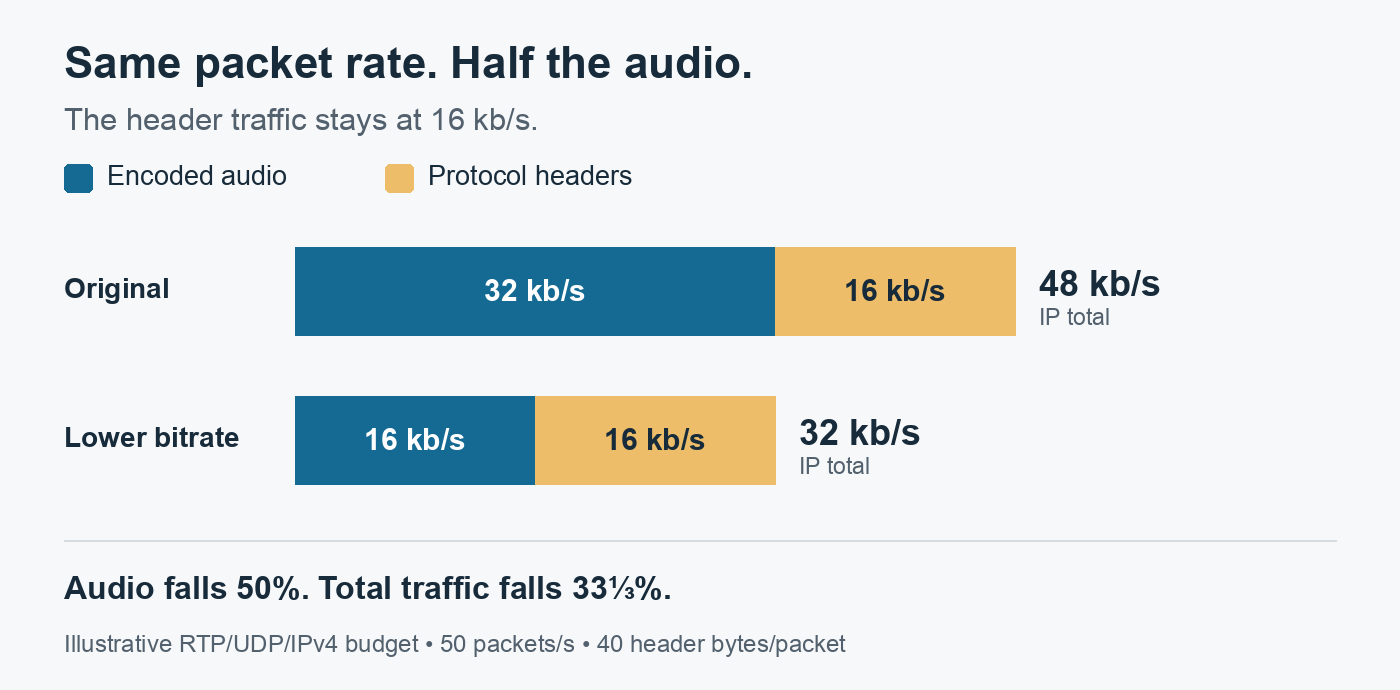
In the simple example we’ll build here, halving the audio takes network traffic from 48 to 32 kb/s. That’s a saving of one third. The missing piece is how often we send a packet.
This matters when choosing an audio setting: you want to know what a reduction will actually buy before accepting its effect on sound quality. There are two controls worth understanding: how much audio data you produce, and how frequently you send it.
The short version
- At 50 packets a second, the RTP, UDP and IPv4 headers cost 40 bytes a packet, 16 kb/s, whatever the audio rate.
- Halving the audio from 32 to 16 kb/s took the total from 48 to 32 kb/s: a third less traffic, not half.
- The packet interval is the other control. With the audio held at 32 kb/s, 5 ms packets cost 96 kb/s in total and 40 ms packets 40 kb/s.
- Longer packets make the audio wait and put more of it in each loss. The Opus specification calls 20 ms a good choice for most applications.
- Put the bitrate and the packet duration side by side in an estimate, and ask how many packets a second carry the audio.
The network carries an envelope with the sound
A codec encodes and decodes audio. A compression codec such as Opus reduces the data needed to represent it. This is relevant to familiar applications: browsers must support Opus for WebRTC calling.
The codec’s output still has to travel to the listener. For our example, the sender puts a small span of encoded audio into each network packet. The audio is the payload. Headers accompany it, carrying information used to transport and interpret the packet.
Think of a letter and its envelope. Shortening the letter does not remove the address.
We’ll use a simple, illustrative stack:
- RTP supplies media information such as sequence numbers and timestamps, which help the receiver put arriving audio in order and handle its timing.
- UDP carries the message between application endpoints.
- IPv4, the internet protocol in this example, carries addressing information for the packet.
Their basic headers add up to 40 bytes per packet: 12 for RTP, 8 for UDP, and 20 for IPv4 without options. The exact sizes come from RTP’s specification, UDP’s header format, and IPv4’s header definition.
That 40-byte envelope is paid again with the next packet. And the next.
What survives the bitrate cut
Assume we send a packet every 20 milliseconds: 50 packets each second. Hold that schedule fixed while cutting the encoded audio rate.
Zoom in from the per-second totals to a single packet. Using the average payload sizes in our example, its byte budget looks like this:
32 kb/s audio, one packet every 20 ms:[ IPv4: 20 B ][ UDP: 8 B ][ RTP: 12 B ][ audio payload: 80 B ] = 120 B
16 kb/s audio, one packet every 20 ms:[ IPv4: 20 B ][ UDP: 8 B ][ RTP: 12 B ][ audio payload: 40 B ] =  80 B
Only the final block shrinks. The three headers still occupy 40 bytes between them. These are illustrative byte budgets, not captured or decoded Opus packets.
Now the packet uses as many bytes for its headers as for its sound.
The arithmetic behind the pictureAt 32,000 audio bits per second, divide by 8 to get 4,000 bytes per second. Spread those across 50 packets: 80 audio bytes per packet.
Headers cost 40 bytes × 50 packets × 8 bits = 16,000 bits per second.
So the original total is 32 + 16 = 48 kb/s. After the audio cut it is 16 + 16 = 32 kb/s.
The saving is real: 16 kb/s disappears from the traffic. But 16 is one third of the original 48, so the percentage saving is 33⅓%.
There is another percentage worth keeping straight. In the original packet, headers are 50% of the payload size (40 / 80), but one third of the total packet (40 / 120). Attach the denominator whenever you report “overhead.”
Here, kb/s means 1,000 bits per second. An encoder’s bitrate setting does not guarantee that every packet contains exactly the average number of bytes shown here.
Could we pay for fewer envelopes?
We could leave the audio rate at 32 kb/s and send a packet for every 40 ms of audio instead.
That halves the packet count: 25 per second. Each packet carries more audio, but there are only half as many headers. Header traffic falls from 16 to 8 kb/s, and the total falls from 48 to 40 kb/s.
To see how much packet timing matters, hold the audio at 32 kb/s and change only the packet interval:
| Packet interval | Packets/s | Average audio bytes/packet | Header kb/s | Total IP kb/s |
|---|---|---|---|---|
| 5 ms | 200 | 20 | 64 | 96 |
| 10 ms | 100 | 40 | 32 | 64 |
| 20 ms | 50 | 80 | 16 | 48 |
| 40 ms | 25 | 160 | 8 | 40 |
The audio rate is identical in every row. At 5 ms, each packet carries only 20 audio bytes beside 40 header bytes. The sender spends two header bytes for every audio byte, and total traffic reaches 96 kb/s.
At 40 ms, the same 40-byte envelope carries an average of 160 audio bytes. Sending less frequently brings the total down to 40 kb/s without reducing the assumed audio rate.
That looks attractive on the bandwidth table. It also makes the first part of the audio wait for more audio to arrive before the packet can leave.
Packet duration and codec frame duration need not be the same. A codec frame is an encoded unit of audio; one packet can carry multiple frames. For example, combine two 20 ms codec frames into one packet. The first frame waits for the second. If that packet is lost, 40 ms of audio is exposed to the loss rather than 20 ms. That does not automatically mean twice the audible damage; recovery and concealment matter too.
This tradeoff is part of the codec’s design, not an accidental inconvenience. The Opus specification’s discussion of frame duration explains why longer durations reduce header overhead while increasing delay and the amount of audio affected by a lost packet. It calls 20 ms a good choice for most applications, while allowing other durations and frame aggregation.
So packet duration is a design choice. “Fewer packets” is incomplete advice for a conversation in which the listener is waiting for the next syllable.
What are you trying to improve?If your voice feature already feels delayed, would you spend more waiting time to save header bytes? Or would you keep the packet schedule and look for savings elsewhere?
The same bandwidth table can lead to different choices depending on that answer.
Try the two controls yourself
Here is the budget as a small Python 3 calculator. Give it an average audio payload rate in kb/s, a positive packet interval in milliseconds, and the header size in bytes. It prints the three choices we’ve considered: the starting point, lower audio bitrate, and less frequent packets.
def ip_budget(payload_kbps, packet_ms, header_bytes=40): packets_per_second = 1000 / packet_ms payload_bytes = payload_kbps * 1000 / (8 * packets_per_second) header_kbps = header_bytes * packets_per_second * 8 / 1000 ip_kbps = payload_kbps + header_kbps return packets_per_second, payload_bytes, header_kbps, ip_kbps
print("audio kb/s | packet ms | packets/s | payload B | header kb/s | IP kb/s")for audio, ms in ((32, 20), (16, 20), (32, 40)): pps, payload, headers, total = ip_budget(audio, ms) print( f"{audio:10g} | {ms:9g} | {pps:9g} | {payload:9g} | " f"{headers:11g} | {total:7g}" )Output:
audio kb/s | packet ms | packets/s | payload B | header kb/s | IP kb/s 32 | 20 | 50 | 80 | 16 | 48 16 | 20 | 50 | 40 | 16 | 32 32 | 40 | 25 | 160 | 8 | 40Try ip_budget(32, 5) to reproduce the shortest-interval row above: 200 packets per second, 20 payload bytes per packet, 64 kb/s of headers, and 96 kb/s in total.
The two controls are visible in the code. payload_kbps changes the audio term. packet_ms changes how often the sender pays for header_bytes. Use a different header budget when modeling a different stack.
The question I’d take into a design review
My recommendation is to put audio bitrate and packet duration next to each other in the estimate. A bitrate on its own leaves out the repeated cost of carrying the audio.
Before turning the audio down again, separate the payload bytes from the header bytes and decide which part you are trying to reduce. If headers already consume half the budget, another percentage cut to the audio will save a smaller percentage of the total. Changing packet duration affects that fixed-per-packet cost, but needs a delay and loss assessment alongside the byte calculation.
What this example leaves outThese totals cover one continuously sending stream at the IP packet level. A real WebRTC call also has costs such as security overhead, additional headers, control traffic, and potentially relays or retransmissions. Link-layer traffic is outside this calculation. Silence suppression can change the packet schedule. This is a way to reason about a budget, not a measurement of a complete call.
When someone gives you an audio bitrate, the useful follow-up is: “How many packets per second carry it?” The codec’s number tells you about the sound. That second number tells you how often you pay to deliver it.
Related posts
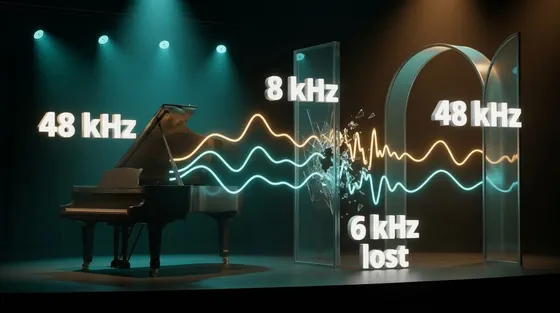
More samples, same sound
Converting audio to a higher sample rate makes it fit the next program; it cannot bring back sound an earlier step removed. Three test tones show why.
Down to the wireaudioperformance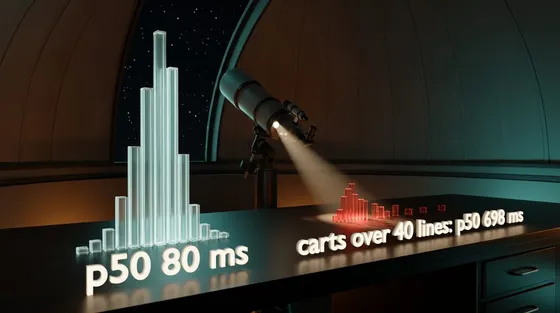
Observability-driven development
A deploy makes checkout slow for 0.9% of requests, and the dashboard's median doesn't move. Writing down the question you'd ask if it broke, and making a test prove the telemetry can answer it, is what finds them. Plus what that telemetry costs, in series and in microseconds.
Down to the wireobservabilitydistributed-systemstesting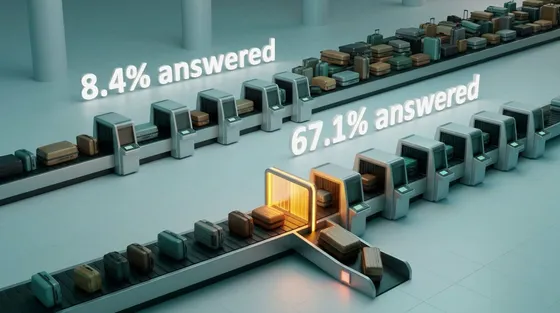
Backpressure and load shedding
A shop's checkout service can answer 100 requests a second, and for one minute 150 arrive. Left at the usual default, it answers 8% of those people in time; refusing the overflow at once answers two thirds. Capacity decides how many can be served. The policy decides whether they are, and only the question of who is a product decision.
Down to the wiredistributed-systemsreliabilityperformance
 Networking & media
More samples, same sound
Converting audio to a higher sample rate makes it fit the next program; it cannot bring back sound an earlier step removed. Three test tones show why.
audioperformanceSep 2026 Systems
Observability-driven development
A deploy makes checkout slow for 0.9% of requests, and the dashboard's median doesn't move. Writing down the question you'd ask if it broke, and making a test prove the telemetry can answer it, is what finds them. Plus what that telemetry costs, in series and in microseconds.
observabilitydistributed-systemsSep 2026 Systems
Backpressure and load shedding
A shop's checkout service can answer 100 requests a second, and for one minute 150 arrive. Left at the usual default, it answers 8% of those people in time; refusing the overflow at once answers two thirds. Capacity decides how many can be served. The policy decides whether they are, and only the question of who is a product decision.
distributed-systemsreliabilitySep 2026
Comments