What's inside one voice packet
RTP, Opus and UDP, and what one lost packet costs.
It’s 9:17 AM in Paris. Alice says “hey, what’s the weather?” to her voice assistant, and a moment later the answer starts playing.
A lot has to go right inside that moment, and this series follows it one layer at a time. I work on real-time voice at one of the largest voice assistants in the world, and I’ve walked engineers joining voice teams through this material many times. Say someone joins your team after years of building web services. A fair first question is: we already have a WebSocket open to the client, so why not send the audio down that?
This post answers it, starting from the smallest thing that matters: one packet of Alice’s voice. We’ll build a real one byte by byte, see what each header is for, and then lose one on purpose to see what it costs.
The short version
- A voice call is 50 small packets a second in each direction, each carrying 20 ms of sound.
- Each packet is 120 bytes: 80 of compressed sound and 40 of headers.
- Every packet has a deadline, the moment it has to be played. After that it’s worthless, however safely it arrives.
- That deadline is why voice rides UDP: over TCP, one lost packet makes the packets behind it late too.
A few terms we’ll lean on, each explained properly where it first matters:
| Term | In one line |
|---|---|
| WebRTC | The browser’s built-in stack for real-time audio and video between two endpoints. It usually sends the media over UDP |
| WebSocket | A long-lived, two-way message channel over a single TCP connection |
| UDP / TCP | The two main transports on top of IP. UDP sends datagrams and forgets them; TCP delivers a reliable, ordered byte stream |
| RTP | The Real-time Transport Protocol: a small header on each media packet saying which stream, which slice and when it was sampled |
| Codec | Software that compresses media for sending and decompresses it on arrival. Here, Opus |
From air to 80 bytes
When Alice speaks, her microphone turns changing air pressure into a changing voltage, and the sound card measures that voltage at a fixed rate. Each measurement is a sample, stored as a number. Opus, the codec we’ll meet in a minute, works at 48,000 samples a second, and a common way to store each sample is as a 16-bit integer. That raw stream of numbers is called PCM (pulse-code modulation). If you want the longer story of what a sample rate can and can’t capture, the sample-rate post goes through it with three test tones.
Voice isn’t sent a sample at a time. The sender collects a short slice, compresses it, and sends the slice as one packet. Twenty milliseconds is the usual slice: it’s the default packet duration for Opus over RTP (RFC 7587 §6.1). Here’s the whole trip, from sound to packet:
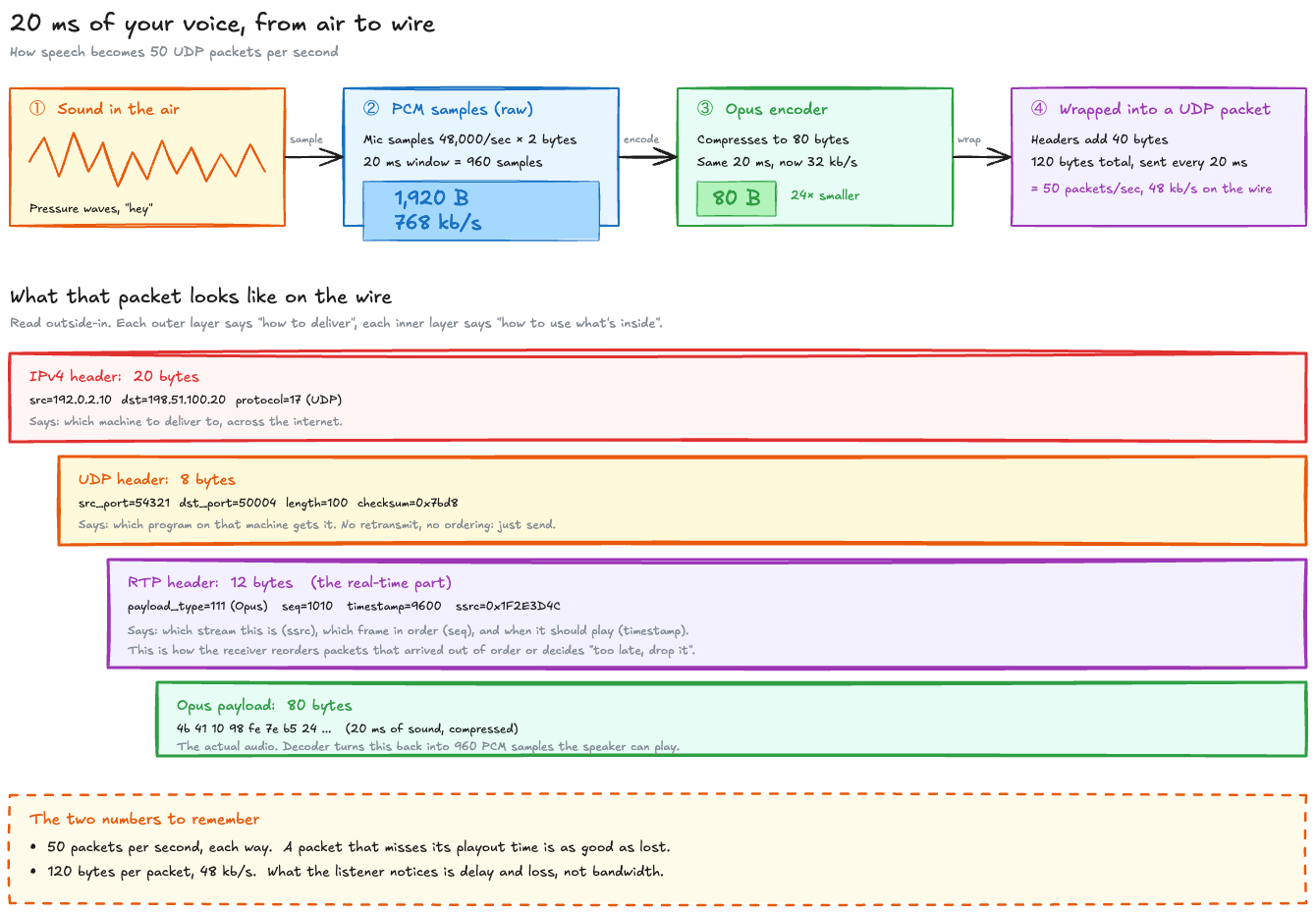
The top row is the part worth doing the arithmetic on:
| Stage | Size of 20 ms | Per second | How |
|---|---|---|---|
| Raw PCM | 1,920 B | 768 kb/s | 48,000 samples/s × 20 ms = 960 samples, × 2 bytes each |
| Opus, constant 32 kb/s | 80 B | 32 kb/s | 32,000 bits/s ÷ 8 ÷ 50 packets = 80 bytes |
| On the wire | 120 B | 48 kb/s | 80 B of sound + 40 B of headers, 50 times a second |
WebRTC requires every endpoint to support Opus, along with G.711, the classic telephone codec (RFC 7874 §3). Opus can encode slices from 2.5 to 60 ms, at anything from 6 to 510 kb/s (RFC 6716 §2.1.4, §2.1.1). The 80 bytes are exact here because the demo holds the bitrate constant. With real speech and a variable bitrate, frames average around that size and grow and shrink with what’s being said.
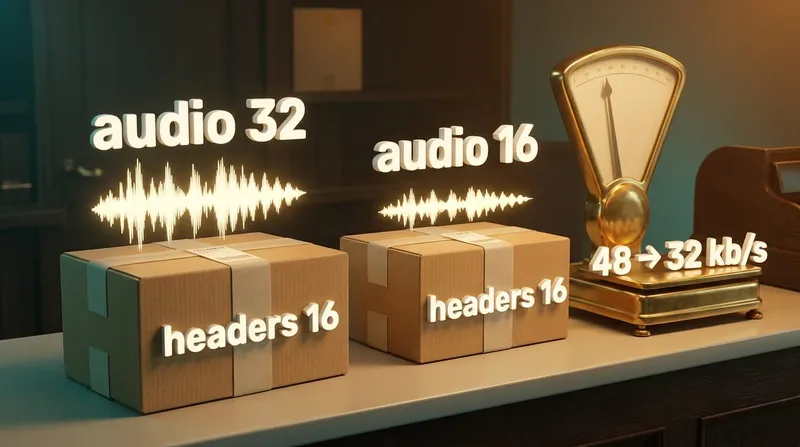
The bottom row of the table matters more than it looksA third of every packet is headers. Halve the audio bitrate and the headers stay the same size, so the traffic drops by a third, not a half. The bitrate post works through what that means for bandwidth planning.
Alice’s packet, byte by byte
To show real bytes rather than made-up ones, the demo for this post encodes a steady 440 Hz tone in place of Alice’s voice, with the codec a voice call would use, held at a constant bitrate so the sizes come out exact. It builds the headers around each 80-byte frame and prints one packet back, layer by layer. The addresses come from the ranges reserved for documentation.
45 b8 00 78 3a 0a 40 00 40 11 13 61 c0 00 02 0a c6 33 64 14Which machine. Total length 120 B, protocol 17 (UDP), from 192.0.2.10 to 198.51.100.20. Routers forward the packet by this header.d4 31 c3 54 00 64 7b d8Which program. Port 54321 to port 50004, length 100 B (this header, RTP and Opus), checksum. No order, no resending.80 6f 03 f2 00 00 25 80 1f 2e 3d 4cWhich stream, which slice, when. Version 2, payload type 111 (Opus), sequence number 1010, timestamp 9600, SSRC 0x1F2E3D4C.4b 41 10 98 fe 7e b5 24 60 00 b4 1f a0 61 77 c3 … 64 moreThe sound. Opaque to everything on the way. The decoder turns it back into 960 samples, 20 ms of audio.Read it from the outside in. Each layer answers one question, and each machine on the way reads only the part it needs: a router reads IP, the receiving computer’s operating system reads UDP to find the program, and that program reads RTP.
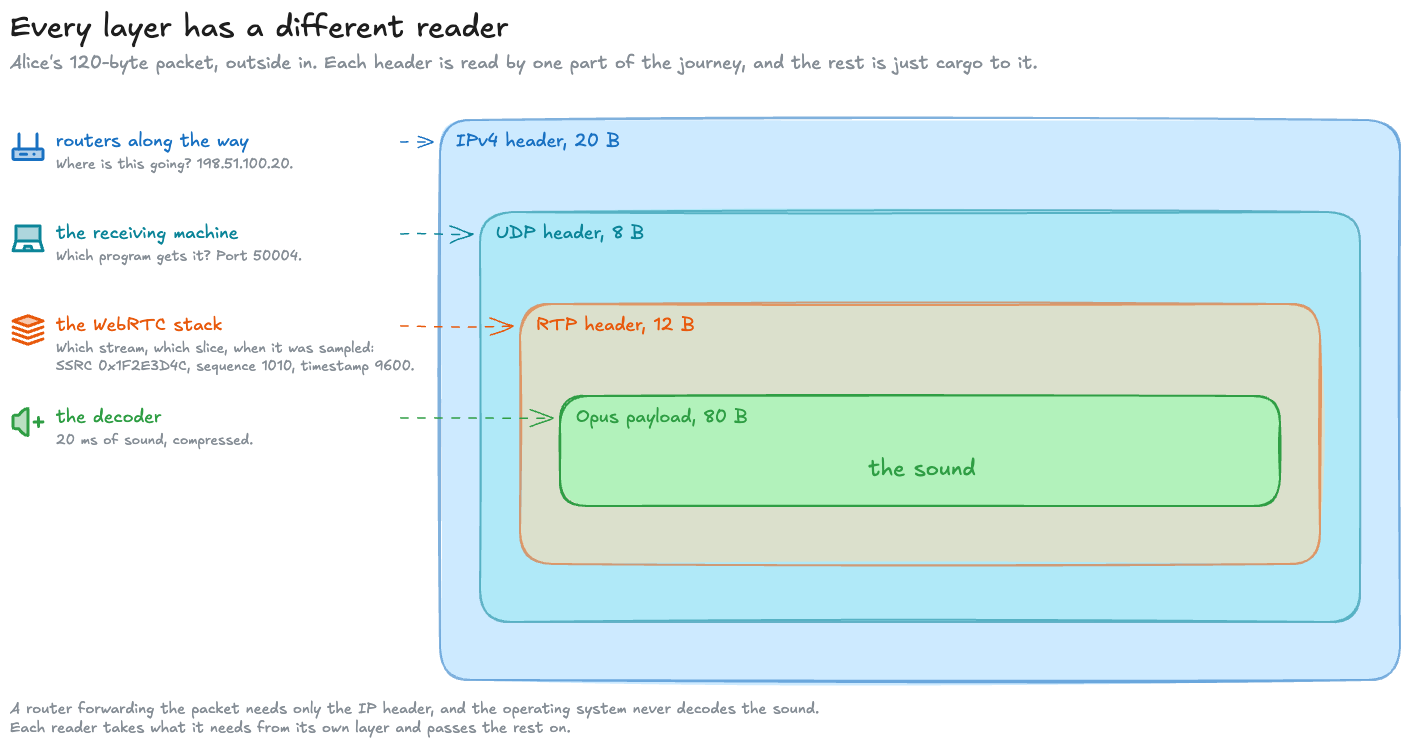
What RTP adds that UDP doesn’t
UDP hands the program a datagram and a port number, and that’s all. It says nothing about order or time. RTP, the Real-time Transport Protocol, adds the three things a receiver most needs to play audio back (RFC 3550 §5.1):
| Field | Bytes | In Alice’s packet | What the receiver uses it for |
|---|---|---|---|
| Sequence number | 03 f2 | 1010 | Goes up by one per packet. Notices that 1011 is missing, or that 1013 arrived before 1012, and puts them back in order |
| Timestamp | 00 00 25 80 | 9600 | When this slice was sampled. Lets the receiver space playback correctly and measure jitter |
| SSRC | 1f 2e 3d 4c | 0x1F2E3D4C | Which stream the packet belongs to. One call can carry several |
| Payload type | 6f, low 7 bits | 111 | Which codec. 111 isn’t a fixed code for Opus; both sides agree on it when the call is set up (RFC 7587 §4.1) |
The timestamp counts samples, not millisecondsEach packet’s timestamp goes up by 960, not 20: it counts samples on a 48 kHz clock, and 20 ms is 960 samples. Our packet is the eleventh in its stream, so it carries 10 × 960 = 9,600. For Opus that clock is always 48 kHz, even when the audio itself is narrower (RFC 7587 §4.1).
RFC 3550 says the sequence number and timestamp should start at random values. The demo starts them at 1000 and 0 so the numbers are easy to follow.
Here’s the RTP header in the demo. It’s twelve bytes, and packing it takes one line of Python:
def pack(self) -> bytes: first = 2 << 6 # version 2, no padding, no extension, zero CSRCs second = (int(self.marker) << 7) | self.payload_type return struct.pack("!BBHII", first, second, self.sequence, self.timestamp, self.ssrc)!BBHII is the whole layout: network byte order, two single bytes, a 16-bit sequence number, then two 32-bit numbers for the timestamp and SSRC. Each packet in the one-second stream gets the next sequence number and a timestamp 960 further on:
packets = [ ipv4(udp(Rtp(sequence=1000 + i, timestamp=i * SAMPLES).pack() + frame), ident=0x3A00 + i) for i, frame in enumerate(frames)]That one expression is the nesting in the figure: the Opus frame goes inside RTP, which goes inside UDP, which goes inside IP.
The encoder settings are the other part worth seeing, because they’re where the 80 bytes come from:
enc = av.CodecContext.create("libopus", "w")enc.sample_rate = RATEenc.layout = "mono"enc.format = "s16"enc.bit_rate = BITRATEenc.time_base = Fraction(1, RATE)enc.options = {"vbr": "off", "application": "voip", "frame_duration": str(FRAME_MS)}RATE is 48,000 and BITRATE 32,000. vbr: off holds the bitrate constant, which is why every frame is exactly 80 bytes; voip tunes the encoder for speech.
Look at it yourself
Paste the RTP header into the inspector below (RTCP, in its name, is RTP’s companion control protocol, a later post in this series), or press its Voice packet sample, and it marks each field on the bytes themselves:
80 6f 03 f2 00 00 25 80 1f 2e 3d 4cOr run the whole demo, build_packet.py. It uses libopus through PyAV, which ships the codec inside its wheels, so there’s nothing else to install. It needs Python 3.12 or newer. From a clone of the repository:
cd mainlog-code/voice-packetpython3 -m venv .venv.venv/bin/pip install -r requirements.txt.venv/bin/python build_packet.pyIt also writes voice.pcap, one second of the stream: fifty packets, 20 ms apart.
Opening the capture in WiresharkWireshark shows the packets as plain UDP at first, because nothing on port 50004 says “I’m RTP”. Tell it: Analyze → Decode As, port 50004, RTP. Then Telephony → RTP → RTP Streams lists the stream, with its sequence numbers climbing by one and its timestamps by 960.
The demo’s CI checks the capture with a second, independent parser (scapy). It recomputes the IP and UDP checksums of all fifty packets from scratch and reads the RTP header back itself, and they agree. Run it yourself and every header field comes out the same except one: the Opus bytes can differ slightly with a different libopus build, and the UDP checksum, which covers them, changes with them.
Every packet has a deadline
The receiver can’t play a packet the moment it arrives, because packets don’t arrive evenly: one might take 28 ms and the next 35. That unevenness is called jitter. So the receiver holds each packet briefly in a jitter buffer and plays it at a fixed time: when it was sent, plus how long packets normally take to arrive, plus a small cushion for the jitter.
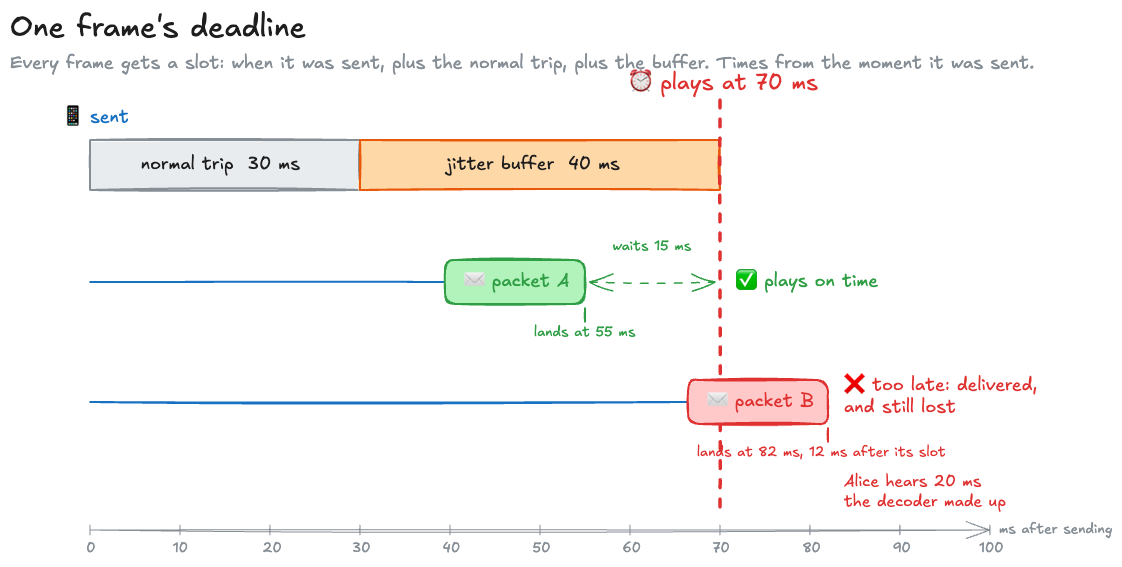
That fixed time is the packet’s playout deadline, and it changes what “delivered” means:
| Traffic | A web page | Live audio |
|---|---|---|
| A byte that arrives late | Still needed; the page waits for it | Useless: the listener already heard whatever played in its place |
| What a loss costs | Time, until the resend arrives | 20 ms of sound, if the receiver can move on |
| The right response to a loss | Resend it | Cover the gap and keep going |
You can’t go back and un-play a gap.
What one lost packet costs
Back to the WebSocket. A WebSocket runs over TCP, and TCP promises that every byte arrives, in order. When a packet is lost, TCP resends it, which sounds like exactly what you’d want.
The catch is the “in order” half. TCP won’t hand the application anything that comes after a missing byte until the missing byte has been resent and has arrived. The packets behind it sit in the receiver’s buffer, perfectly fine, and the application can’t read them. That’s called head-of-line blocking, and for audio with deadlines it turns one lost packet into several late ones.
To put numbers on it, the demo’s one_lost_packet.py models one lost frame. It’s a model rather than a network test, so every run gives the same answer:
The model’s assumptions
- A frame leaves every 20 ms and takes 30 ms to arrive, so the round trip is 60 ms. No jitter.
- The jitter buffer adds 40 ms on top of the 30 ms trip, so frame n, sent at 20n ms, must arrive by 20n + 70 ms. Arriving exactly on the deadline counts as on time.
- Each frame travels in its own TCP segment (one TCP packet), and frame 5 is lost once.
TCP can find out about the loss in two ways:
| Recovery | How TCP notices | When frame 5 is resent | Standard |
|---|---|---|---|
| Fast retransmit | Frames 6, 7 and 8 arrive without 5, and each draws a duplicate acknowledgement (ACK). The third makes the sender resend right away | Frame 8 lands at 190 ms, its acknowledgement is back at 220, the resend arrives at 250 ms | RFC 5681 §3.2 |
| Retransmission timeout | The duplicate ACKs never reach the sender, because they’re lost too | The timer fires 200 ms after frame 5 was sent at 100 ms, and the resend arrives at 330 ms at the earliest | RFC 6298 §2.4 |
200 ms is Linux’s default minimum for that timer (the kernel’s TCP_RTO_MIN); the standard itself recommends rounding it up to a full second. The heart of the model is a single rule, TCP’s in-order delivery:
def tcp(resend_at: int, name: str) -> Outcome: """In-order delivery: nothing after the lost frame reaches the application before the resent copy does.""" repaired = resend_at + ONE_WAY_MS return Outcome(name, {n: sent(n) + ONE_WAY_MS if n < LOST else max(sent(n) + ONE_WAY_MS, repaired) for n in FRAMES})Every frame after the lost one is delivered at whichever is later: when it actually arrived, or when the resent frame 5 did. Here’s what that does to Alice’s frames 4 to 8:
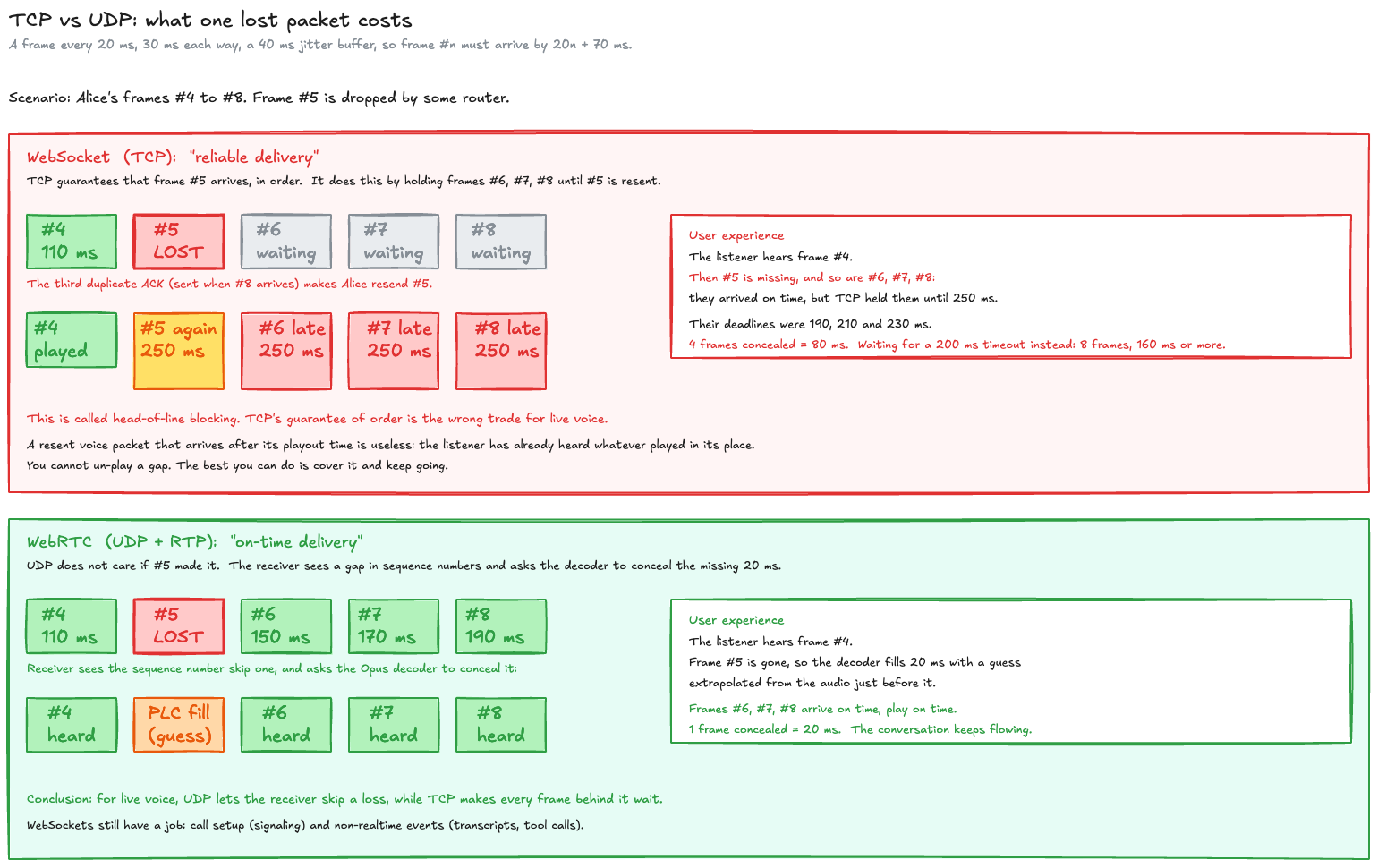
Follow frame 6. Over UDP it arrives at 150 ms, 40 ms before its deadline, and plays. Over TCP it arrives at exactly the same moment, but the application can’t have it until the resent frame 5 lands at 250 ms, and by then frame 6’s deadline passed 60 ms ago. The network delivered it on time, and TCP held it back.
Across the whole stream, the script counts:
| Transport | Frames that miss their deadline | Concealed audio |
|---|---|---|
| UDP | 1 (frame 5) | 20 ms |
| TCP, classic fast retransmit | 4 (frames 5 to 8) | 80 ms |
| TCP, 200 ms timeout | 8 (frames 5 to 12) | at least 160 ms |
With the one-second timeout the standard recommends, the last row would be far worse. Newer loss detection, such as RACK, which is what current Linux uses to detect loss, can resend sooner than three duplicates would allow, and its tail loss probe handles a loss at the very end of a burst without waiting for the full timeout. Neither changes the part that hurts: the frames behind the loss still wait for it.
The numbers move; the shape doesn’tThe exact counts depend on the round trip, the buffer and where the loss falls, so don’t read 80 ms as a constant. What stays the same is who pays: over TCP, the frames behind a loss pay for it.
What happens to the gap over UDP
Over UDP, frame 5 simply never comes. The receiver sees the sequence number skip one, knows exactly what’s missing, and asks the decoder for 20 ms of something plausible in its place. That’s packet-loss concealment: the decoder extrapolates from the audio just before the gap. The Opus specification describes it (RFC 6716 §4.4) and libopus implements it. Frame 6 plays on time. How good the guess sounds, and what to do when losses come in bursts, is where the next post picks up.
So the reason voice rides UDP is control. UDP lets the receiver decide what a missing packet costs, and for live audio the right decision is almost always “cover it and keep going”.
The simulator below draws the whole comparison, frame by frame. Here’s how to read its first chart before you try it:
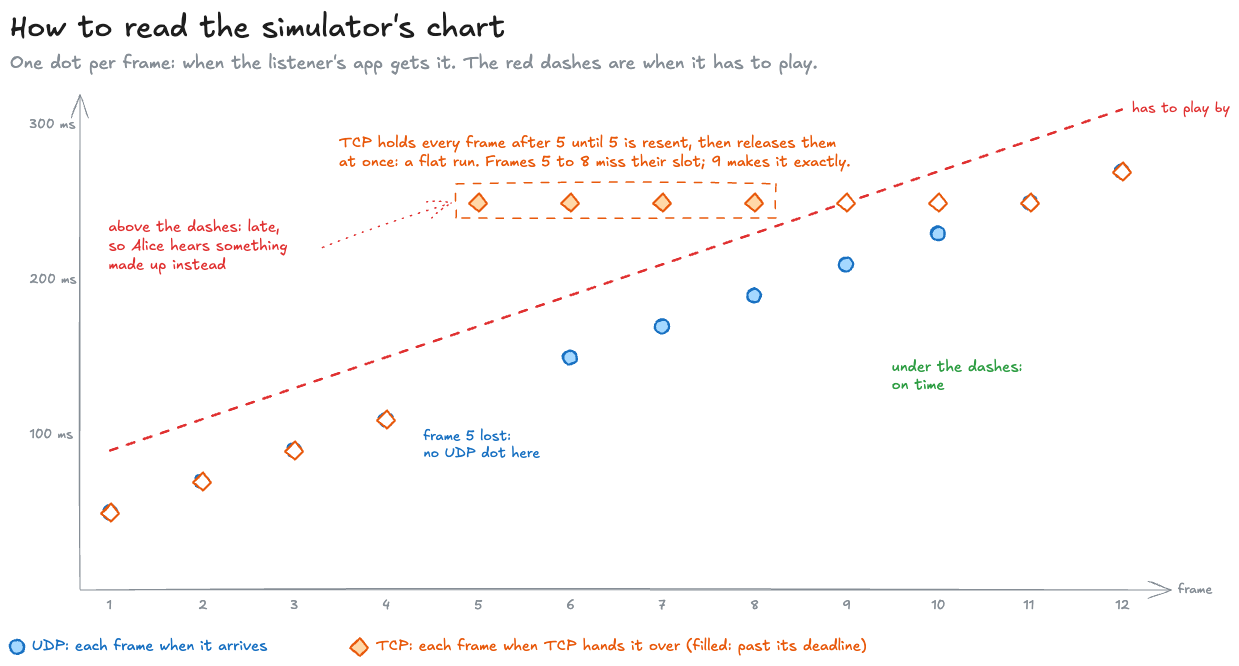
Try it yourself: move the lost frame, the delay, the buffer or the timeout, and watch which frames each transport still gets to the listener in time. The Bigger buffer sample is worth a look, because a big enough buffer can absorb fast retransmit completely, at the price of 80 ms more delay on every frame.
The second chart is the other half of why 20 ms is the usual slice. Every packet pays the same 40 bytes of headers whatever it carries, so smaller frames mean more packets and more header bits: at 10 ms the headers cost 32 kb/s, as much as the sound itself. Bigger frames save that, and each lost packet takes more audio with it: 60 ms instead of 20.
So is TCP ever fine for audio?
Yes, and it’s worth being fair about it.
| Situation | Transport | Why |
|---|---|---|
| Live conversation over the open internet, like Alice’s | UDP (WebRTC) | Losses happen, and every packet has a deadline |
| Recorded voice message, podcast download, audio processed later | TCP is fine | No deadline, so a late byte is still a useful byte |
| Streaming between two servers in one data center | TCP often holds up | Loss is rare, and without loss there’s no head-of-line blocking |
| Call setup, transcripts, tool calls, control messages | A WebSocket is a good fit | They must arrive intact, and a few milliseconds don’t matter |
That last row is the WebSocket’s real job in a voice product: everything around the audio. It just shouldn’t carry the audio itself when the audio is live and the network is the open internet.
So the answer to the WebSocket question is to send the audio in small, timestamped, numbered packets over UDP, and let the receiver cover the gaps. UDP gives the receiver that choice, and it also hands it the job of dealing with every late and missing packet itself. That’s the next post: jitter buffers, concealment and forward error correction.
Related posts
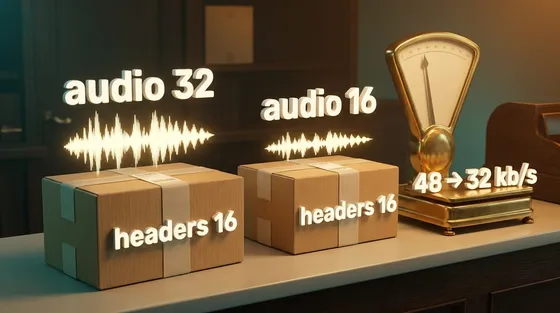
Half the bitrate, two thirds the traffic
Halving an audio bitrate from 32 to 16 kb/s took traffic from 48 to 32, because every packet's headers stay the same size. Packet rate is the other control.
Down to the wireaudionetworkingperformance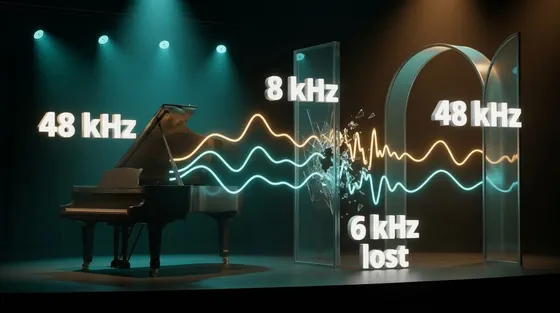
More samples, same sound
Converting audio to a higher sample rate makes it fit the next program; it cannot bring back sound an earlier step removed. Three test tones show why.
Down to the wireaudioperformance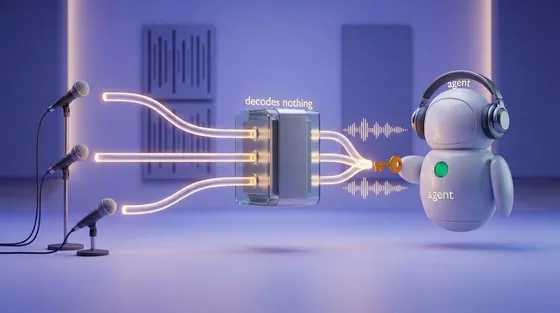
SFU, MCU, and the participant that has to decode
Put an AI agent in a group call and two questions decide the design: does the model hear each person, or one blend, and who has to hold the keys? Both come down to where the agent's audio gets decoded.
AI & agentic architecturesai-agentswebrtcarchitecture
 Networking & media
Half the bitrate, two thirds the traffic
Halving an audio bitrate from 32 to 16 kb/s took traffic from 48 to 32, because every packet's headers stay the same size. Packet rate is the other control.
audionetworkingAug 2026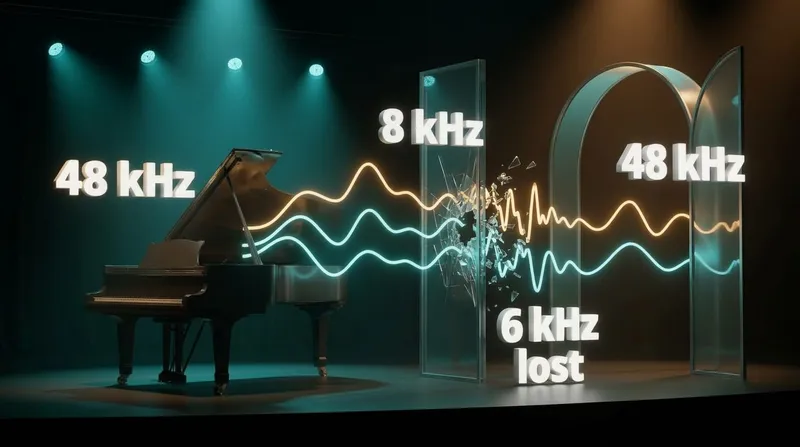 Networking & media
More samples, same sound
Converting audio to a higher sample rate makes it fit the next program; it cannot bring back sound an earlier step removed. Three test tones show why.
audioperformanceSep 2026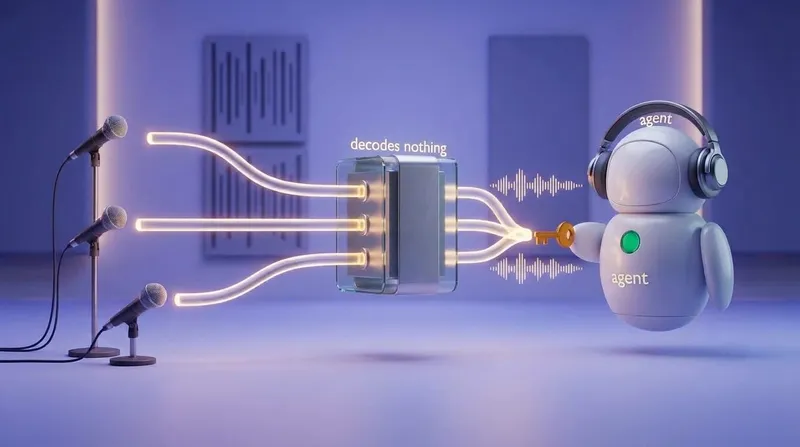 AI
SFU, MCU, and the participant that has to decode
Put an AI agent in a group call and two questions decide the design: does the model hear each person, or one blend, and who has to hold the keys? Both come down to where the agent's audio gets decoded.
ai-agentswebrtcOct 2026
Comments